
The Post Bridge alternative with a free plan and comment replies
Write once, tailor it per network, and publish to Instagram, Facebook, LinkedIn, TikTok and X. Then reply to comments and see how each account did, all in the same place.
- 5 channels
- on Creator, from $15/mo. No per-channel pricing.
- Comments
- and replies included on every plan, the free one too.
- Credits
- for AI, so you pay for what you use and nothing when you don't.
Post Bridge is built for one job, publishing the same post everywhere fast, and it does it well. What happens after the post goes out is left to other tools.
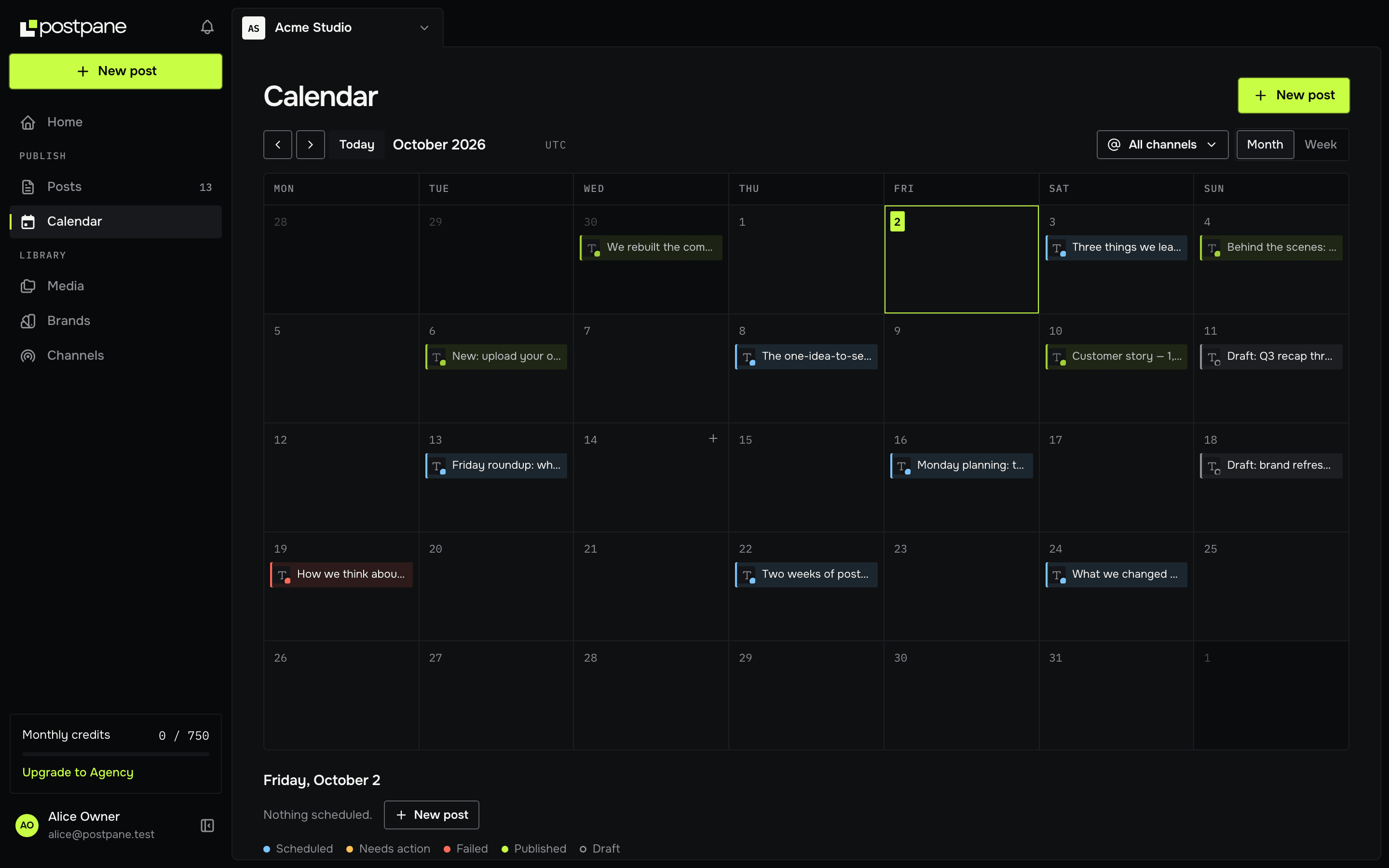
Postpane covers both sides. You schedule from one calendar with per-network captions and checks, then reply to comments and read per-account analytics without leaving. You can start on the free plan and upgrade when you need more channels.
Postpane vs Post Bridge
Both publish everywhere at once. Here's what else you get.
| Feature | Postpanefrom $15/mo | Post Bridgefrom $39/mo |
|---|---|---|
| Free plan | 1 channel, 30 posts/mo | 7-day trial |
| Starting price | $15/mo, 5 channels | $39/mo, 15 accounts |
| Networks | 5 (7 more coming soon) | More, including X and YouTube |
| Content calendar with drag-to-reschedule | ✓ | Yes |
| Per-network captions, previews and checks | ✓ | Yes |
| First comment on publish | ✓ | Not listed |
| Reply to comments on published posts | Every plan | Not listed |
| Per-account analytics | Every plan | Beta |
| Import your past posts | ✓ | Not listed |
| Workspaces, roles and custom roles | Pro and up | Operator plan |
| AI post design | On credits | Not listed |
Post Bridge details come from its public website and may have changed since. Check its site for the latest.
Choose Postpane if
- You want a free plan to start on, not a trial.
- You want to reply to comments and read per-account analytics in the same tool.
- You work with a team and want roles on a plan under Post Bridge's team tier.
Post Bridge may suit you better if
- You need X or YouTube publishing today.
- You post at high volume across many accounts and want unlimited posts.
Moving from Post Bridge to Postpane
Connect your accounts
Start on the free plan and sign in to each network from Postpane. Nothing needs exporting from Post Bridge. Postpane publishes to Instagram, Facebook, LinkedIn, TikTok and X.
Bring in your past posts
From a channel's page, import your recent posts from the network itself: up to 30 per channel on Free, 100 on Creator and 250 on Pro. They show on the channel's page with their likes, comments and shares, so you can see what worked before you switched.
Move what's scheduled
Postpane can't import scheduled posts from Post Bridge, and it has no posting-slot queue: each post gets its own time on the calendar. Copy across the next week or two, then remove them from Post Bridge so nothing goes out twice.
Bring your team
On Pro and up, invite teammates into workspaces with roles, or make custom roles. Post Bridge keeps team members to its Operator plan.
Cancel Post Bridge when it's empty
Keep Post Bridge until the last post scheduled there has gone out, then cancel. Run both side by side for as long as you like.
Post Bridge alternative — FAQ
Is Postpane a good Post Bridge alternative?
If you want more than publishing, yes. Both write a post once and send it everywhere. Postpane also lets you reply to comments, read per-account analytics and bring in teammates with roles, and it has a free plan to start on.
Does Postpane have a free plan?
Yes, free forever with no card: 1 channel, 30 posts a month, the calendar, analytics and comment replies. Post Bridge offers a 7-day trial rather than a free plan.
How does pricing compare?
Postpane Creator is $15/mo billed yearly for 5 channels, and Pro is $31/mo for 15. Post Bridge starts at $39/mo for 15 accounts with unlimited posts, so if you run many accounts at high volume, compare the two on your own numbers.
Which networks does Postpane support?
Instagram, Facebook, LinkedIn, TikTok and X, with Threads, Bluesky, YouTube, Pinterest, Google Business Profile, Reddit and Vimeo coming soon. Post Bridge supports more today, including X and YouTube.
How do I switch from Post Bridge to Postpane?
Connect your accounts on the free plan, import your past posts from each network, then copy your scheduled posts across and delete them in Post Bridge. Keep Post Bridge until its last post has gone out, then cancel.
Can I import my scheduled posts from Post Bridge?
No. Postpane can't read Post Bridge's scheduled posts, so copy the next week or two across by hand. Published posts can be imported from the networks themselves.