

For founders
Plan, schedule, and publish content without hiring a full marketing team.
Seven networks · one calendar
Plan, schedule and publish to Instagram, Facebook, LinkedIn, TikTok, Threads, Bluesky and Pinterest — from one place. Bring your own photos and video, reply to the comments that come back, and see how each account did. AI captions and branded visuals are rolling out to accounts now.
Free forever · no credit card required
01 / Plan
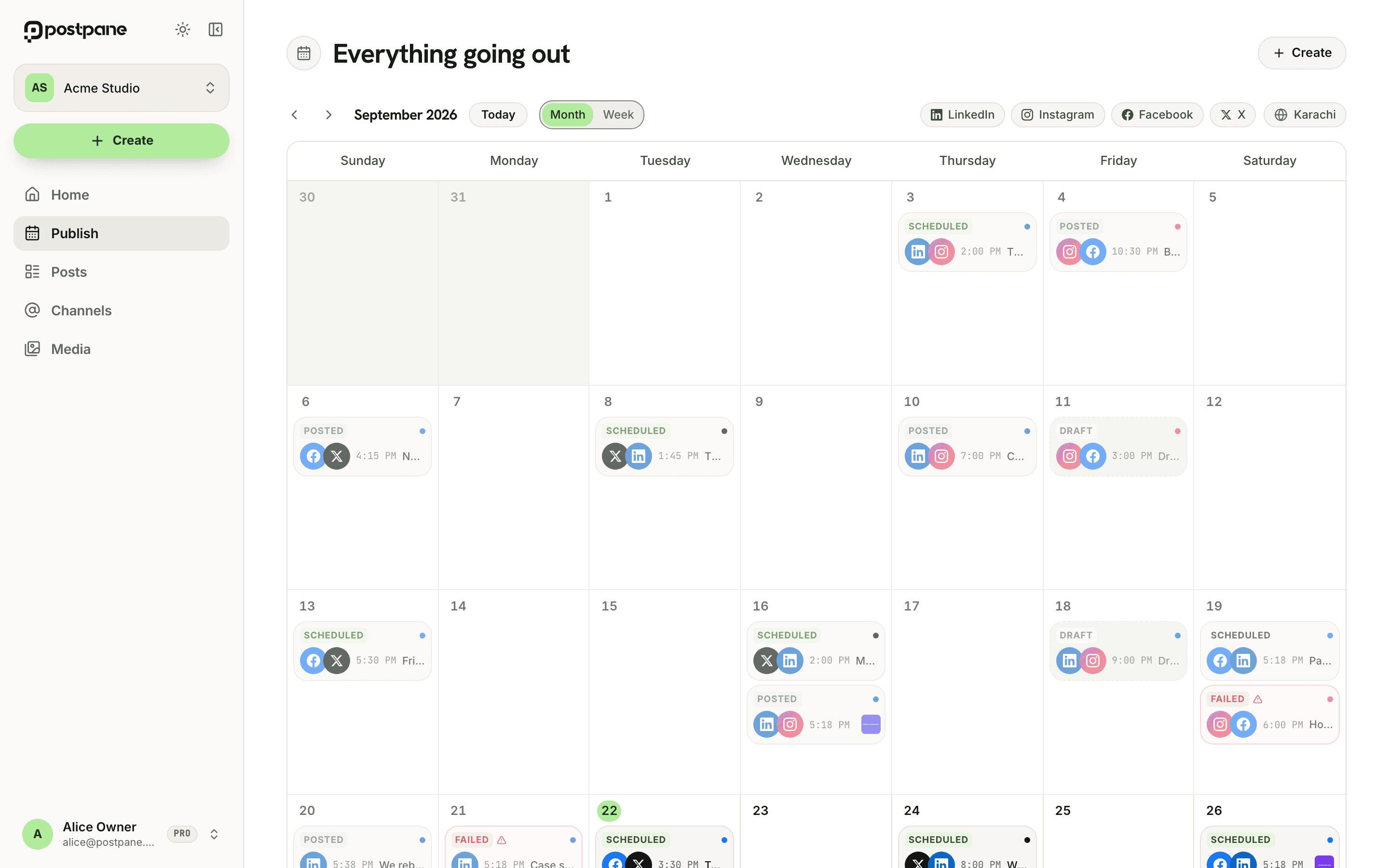
Every scheduled post and every draft, across all your channels, on a single calendar. Drag a post to move it. Click a date to write one. Postpane sends it when the time comes.
02 / Compose
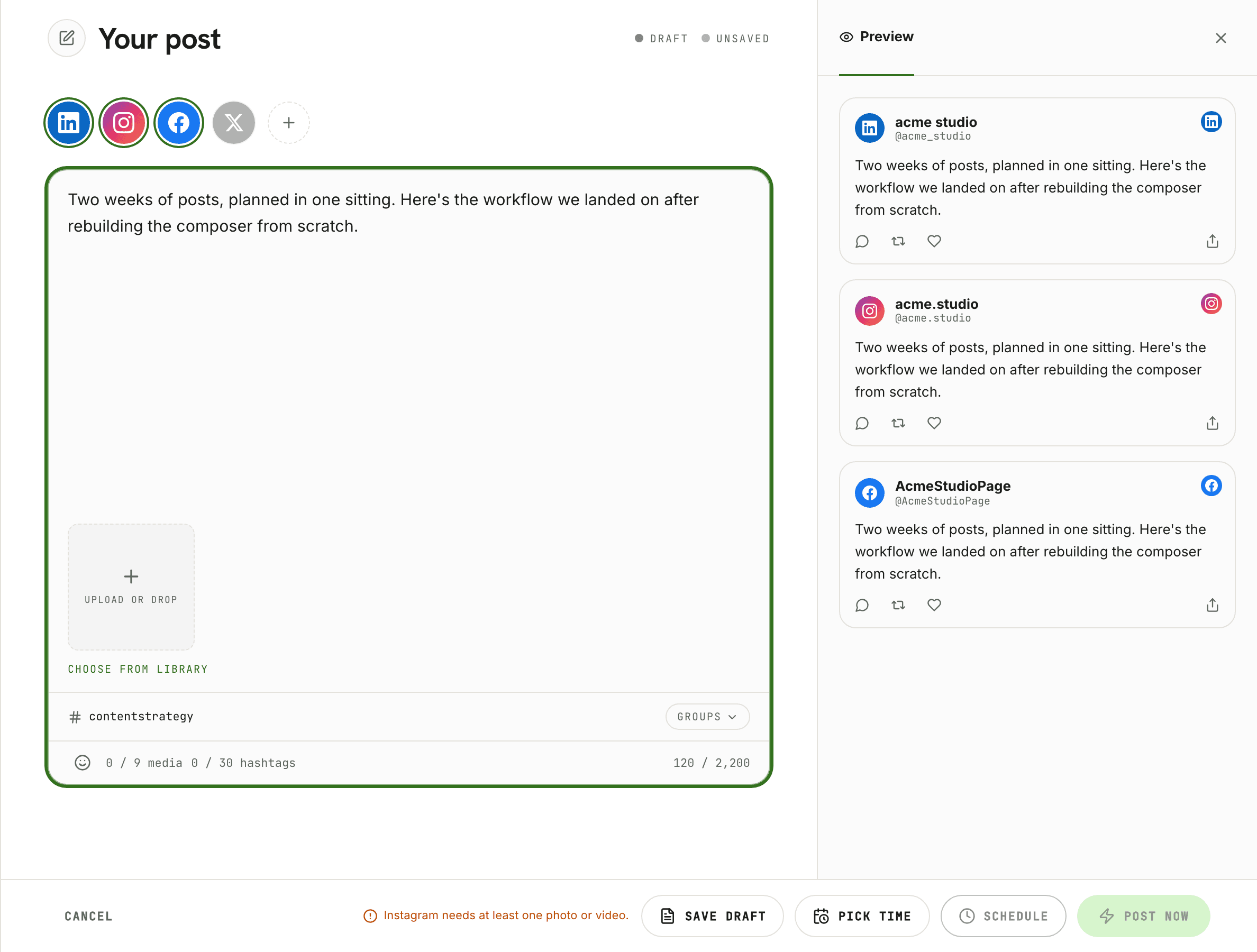
Click any date to write a post there. Upload what you already have, pick the channels, set a time — done. Nothing has to pass through the AI or the editor first.
Caption limits, aspect ratios and per-network requirements are checked before you schedule, so a post doesn't fail at midnight because Instagram wanted an image.
Everything you've uploaded stays in the media library to reuse. Hashtag sets you keep typing become a group you apply in one click.
03 / Publish, measure, reply
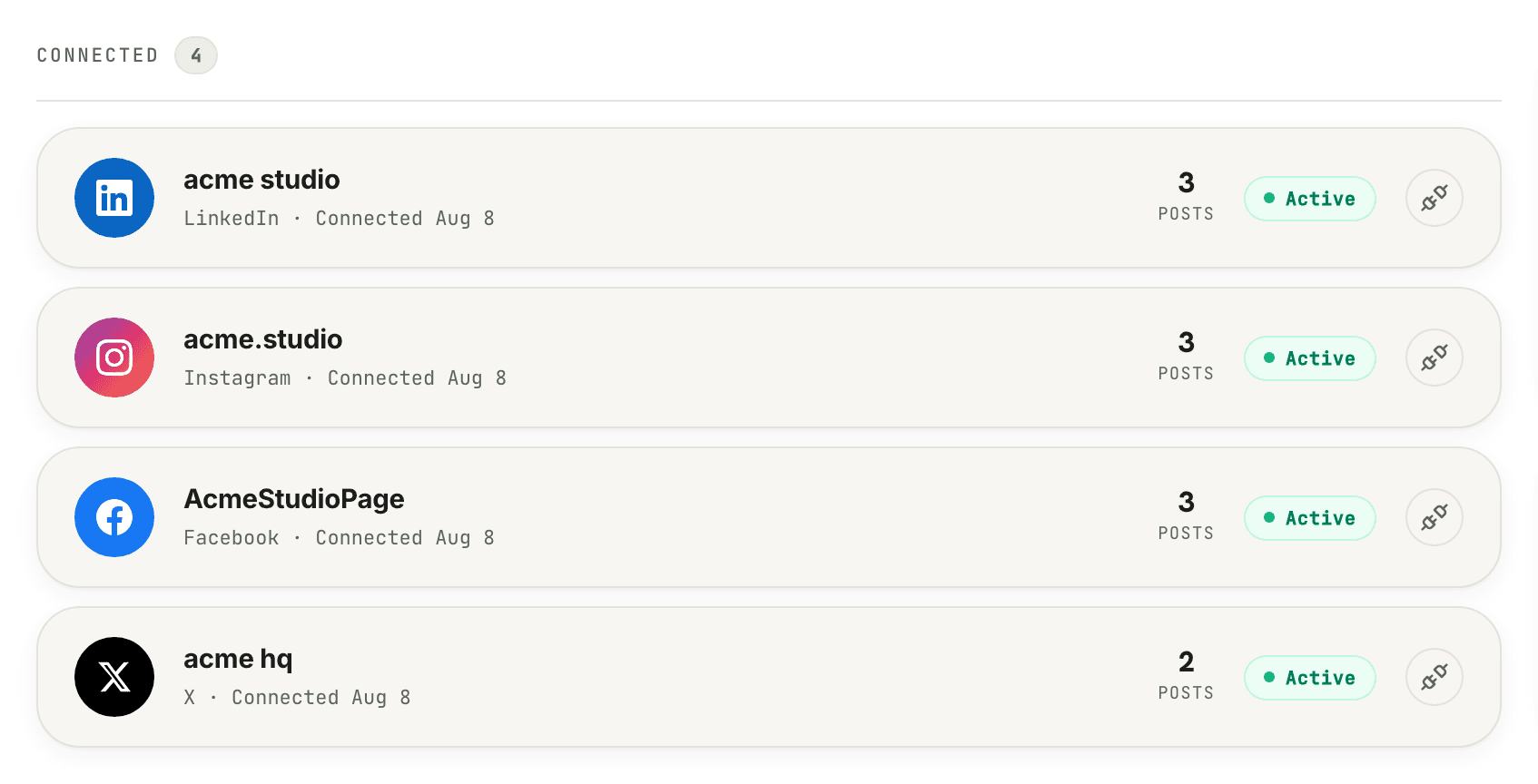
Every post reports back on each channel it went out on, separately.
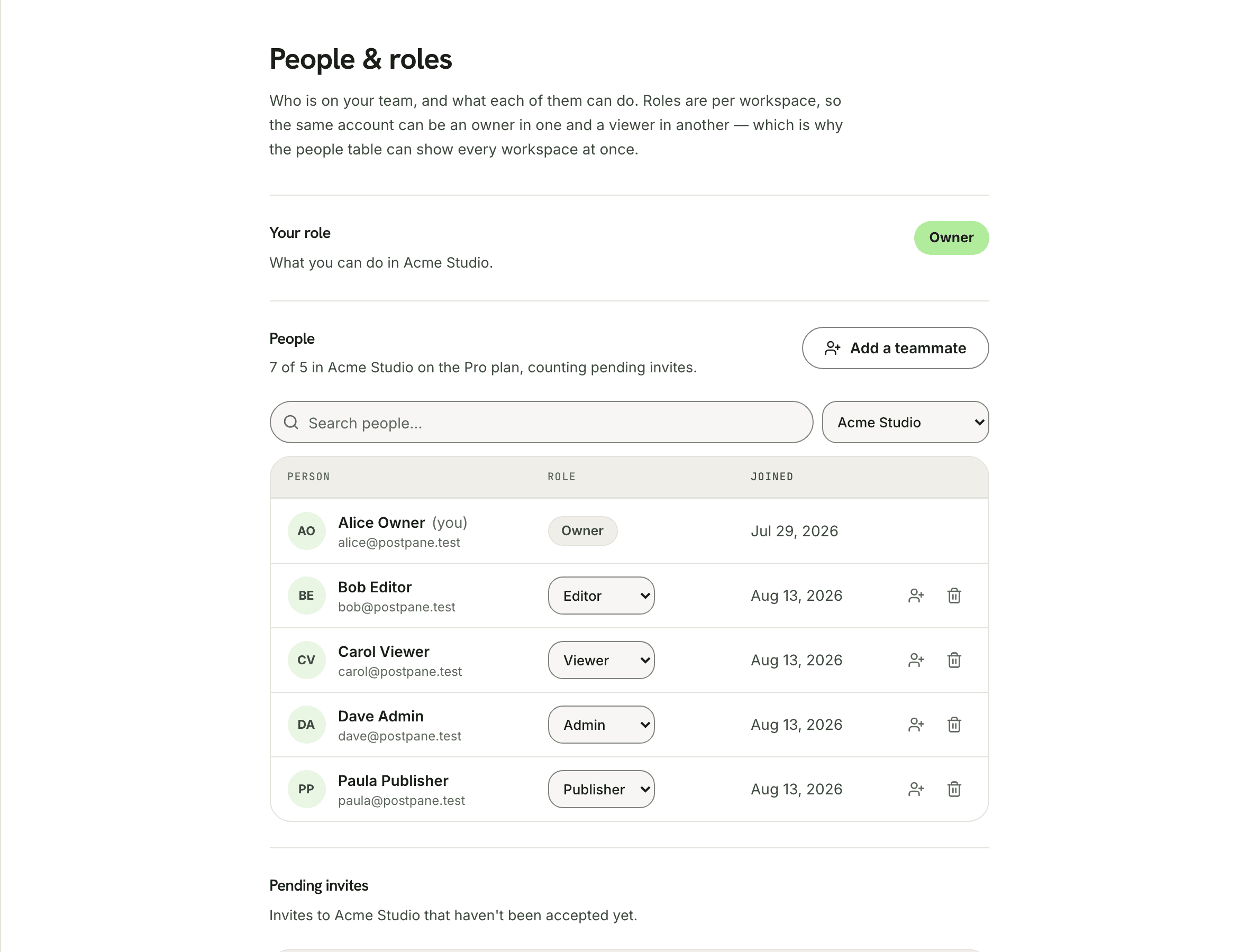
Invite your team, give each person a role, and share a workspace.
Everything you expect — one calendar, your connected accounts, posts going out on time. Then the parts that usually happen somewhere else: your media in one library, the replies in the same place as the post, and the numbers per account once it's live.
Plan weeks ahead. Each post goes out at the slot you set, on its own.
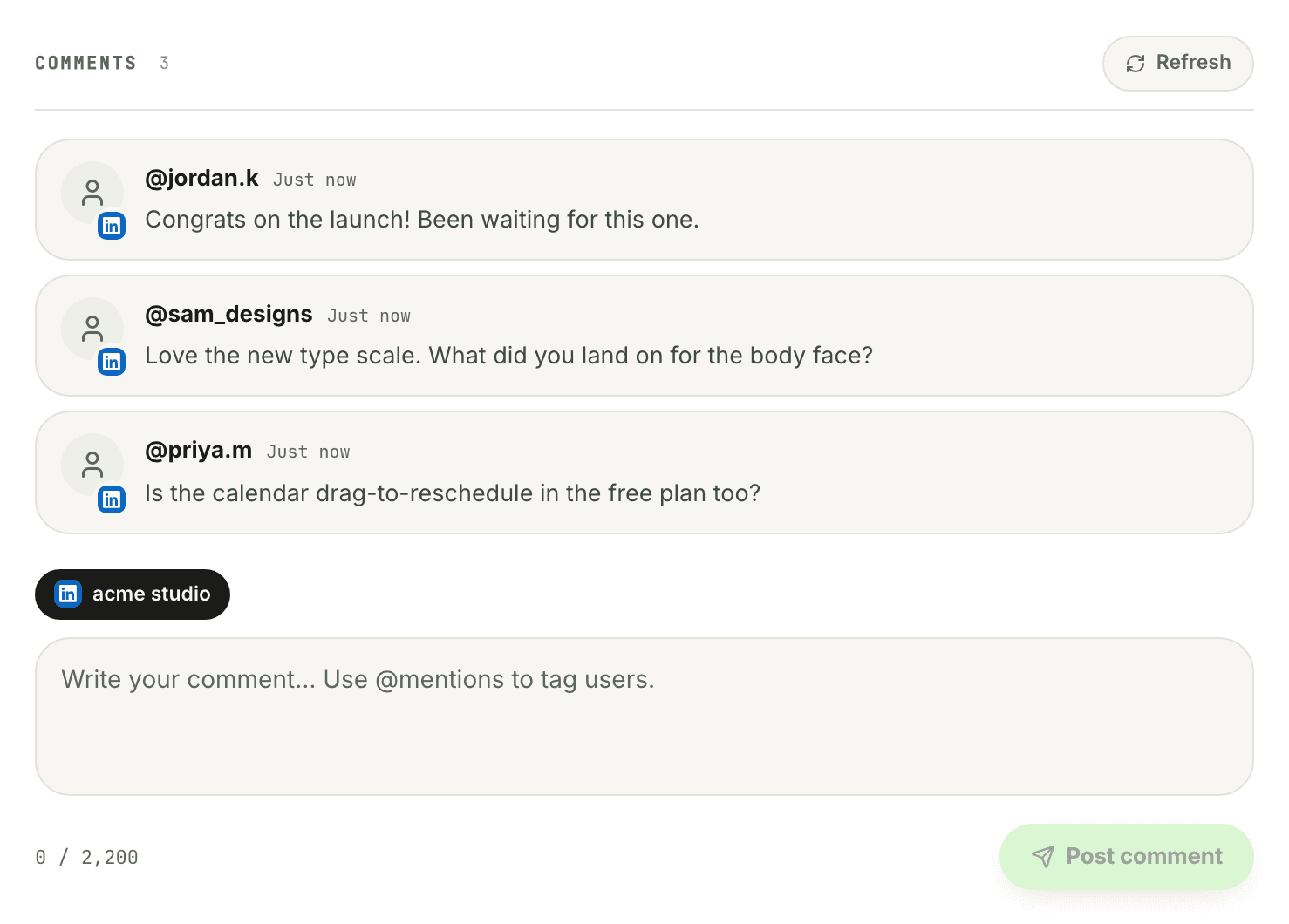
Read and reply from the post itself — every network but TikTok.
Likes, comments, shares, views and reach — per account, per post.
Upload once. Reuse photos and video across posts and channels.
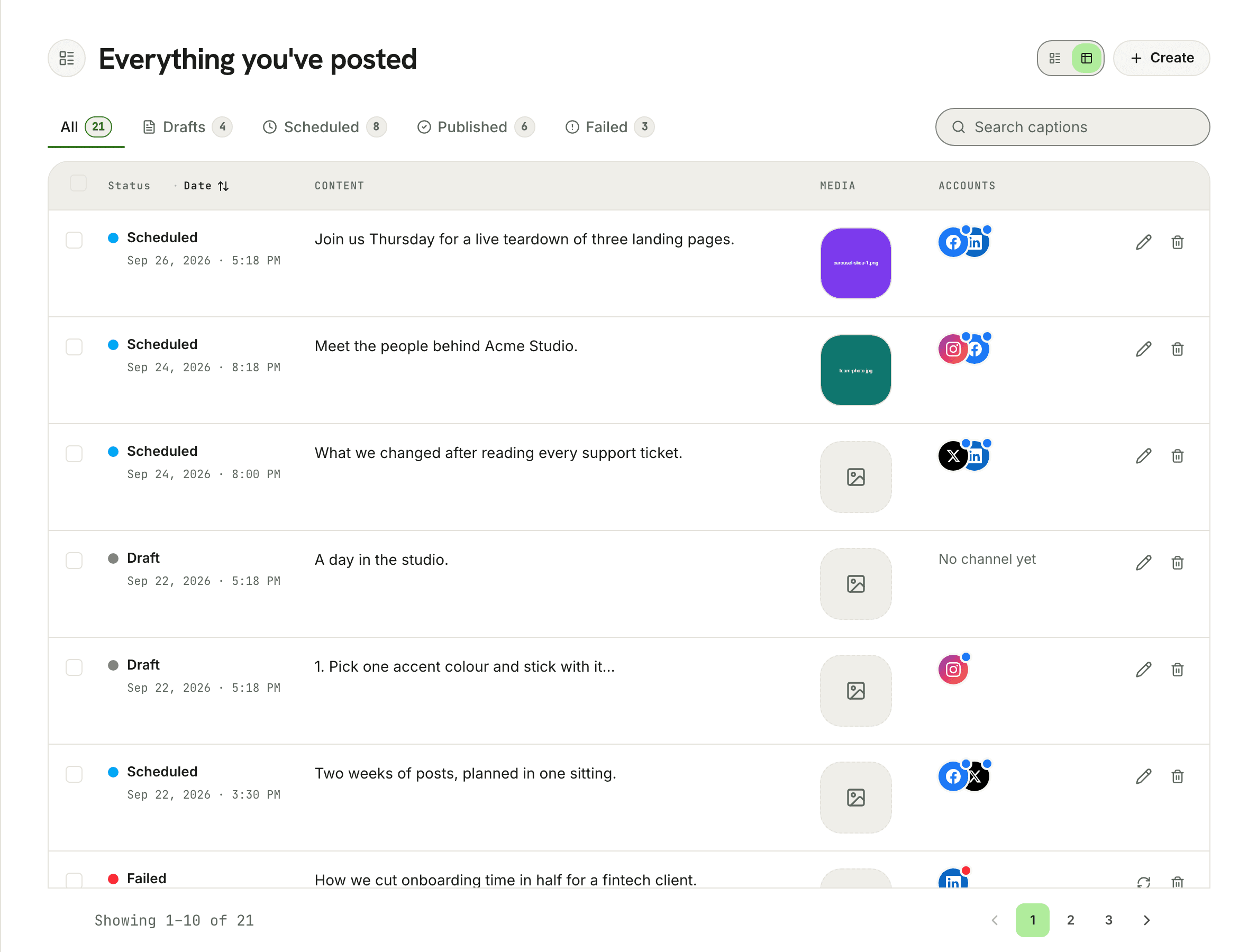
Write the post, check it against what each network will accept, and put it on the calendar. Three steps, one place, no tab-switching.
Upload your media, write the caption, and apply a saved hashtag group — or let AI draft it for you, on brand and sized per platform.
Caption length, aspect ratio and each network's own requirements are checked while you write, so nothing fails at midnight.
Drop the post on a date and time and Postpane publishes it there, to every channel you picked, without you being awake for it.
Whether you're managing one brand or multiple accounts, Postpane adapts to how you work.
Plan, schedule, and publish content without hiring a full marketing team.
Share a workspace, give each person the access their job needs, and see how every account performed.
Create engaging posts faster and grow your audience with AI-powered suggestions.
Give each client their own workspace, schedule campaigns, and see how every account performed.
04 / Why now
Postpane is young enough that what you ask for still shapes what gets built — and the price you start on is the price you keep.
01
Start now and keep your rate as features and plans expand.
02
Tell us what to build. Early feedback shapes the product and ships fast.
03
The free plan is a real plan. Stay on it as long as it works for you.
A genuinely useful free plan — not a locked-down trial. Upgrade for more channels, more AI, and team collaboration.
Free
Publish to your first channel from one calendar, at no cost.
Creator
For solo creators and personal brands who create and ship content consistently.
Pro
For teams that need shared workspaces, their own roles, and volume.
Every plan publishes directly to your connected accounts — schedule a post and Postpane sends it. Plans differ by how many channels you can connect, not by which networks you can reach.
Need more? On Creator or Pro, add channels or workspaces for +$5.00/mo each. Extra team users (+$3.00/mo) are Pro only.
Free plan — no credit card required. Create an account to get started.
Yes. Connect your accounts once and Postpane publishes for you — Instagram, Facebook, LinkedIn, TikTok, Threads, Bluesky and Pinterest. Schedule a post to a date and time and it goes out on its own; you'll see the result per account, so if one network fails you know exactly which. YouTube can be connected too, though it accepts video only.
Yes, and most people do. Upload your own images, carousels or video and schedule them straight from the calendar. Everything you upload stays in the media library to reuse, and hashtag sets you use often can be saved as a group and applied in one click.
Yes. Comments on a published post are shown on the post itself, grouped by the account they came in on, and you can reply from there. It works on every network Postpane publishes to except TikTok, which doesn't offer comments through its API.
Likes, comments, shares, views, impressions and engagement rate, broken out per account as well as totalled for the post. Every channel also has its own page with the full history of what it has published.
Postpane schedules and publishes the way they do — one calendar, your connected accounts, posts going out on time. The difference is what sits either side of it: your media library and saved hashtag groups before the post, and per-account results and comment replies after it. AI captions and branded visuals are rolling out on top of that.
It's rolling out. AI caption writing, the design editor and brand kits are enabled account by account rather than all at once, so publishing works from day one and generation may arrive a little later. Plans include an AI allowance either way, and nothing you upload has to pass through the generator.
Describe your idea in plain language — a sentence, a campaign angle, or a topic. Postpane generates a complete branded post with copy and visual design applied, then opens it in the editor so you can refine it and send it to the calendar. Set your brand colours, typography and logo once and it applies them to everything it generates, adapting copy length and tone per platform.
On Pro. A workspace can hold five people, each invited with a role that decides what they can reach, and Pro workspaces can define their own roles beyond the built-in ones. Free and Creator are single-user, with extra seats available as an add-on on Pro.
No. Postpane is built for any team size — solo founders, individual creators, and growing marketing teams. The Free plan is a genuine starting point, not a locked-down trial.