
The Sprout Social alternative without seat pricing
Postpane is a Sprout Social alternative for small teams: one calendar for Instagram, Facebook, LinkedIn and TikTok, comment replies and analytics on every plan, and your teammates included in the price.
- 5 channels
- on Creator, from $15/mo. No per-channel pricing.
- Comments
- and replies included on every plan, the free one too.
- Credits
- for AI, so you pay for what you use and nothing when you don't.
Sprout Social is a polished enterprise suite: a Smart Inbox, listening, review management, approvals and deep reporting. It charges for every seat, from $79 a month billed yearly, and its first two plans stop at 5 profiles.
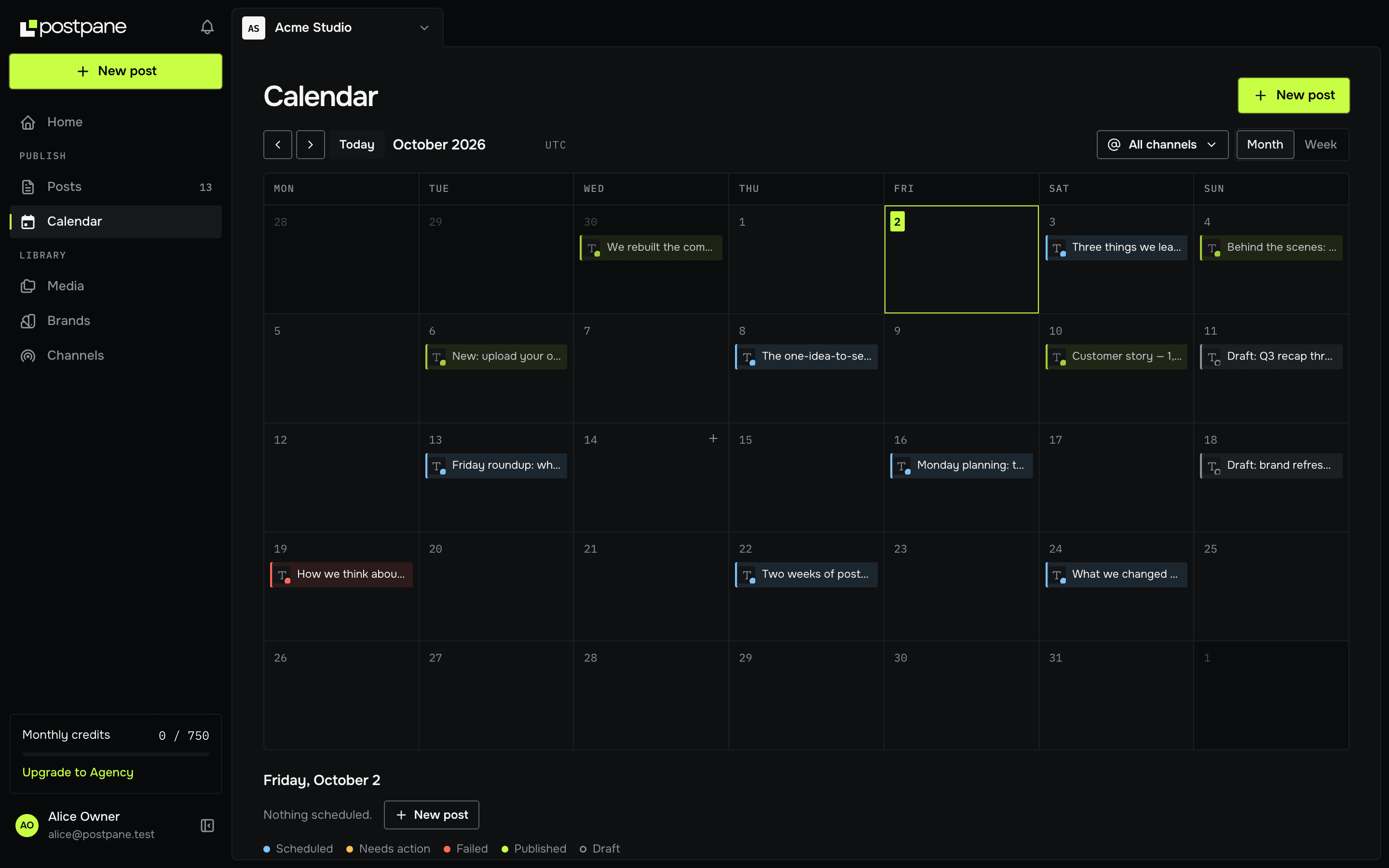
Postpane covers what a small team does every day, and includes the team. Pro has 15 channels and 5 people for $31/mo. You plan on one calendar, tailor each post per network, reply to comments and see how each account did, and the AI designs posts in your brand.
Postpane vs Sprout Social
A focused scheduler next to an enterprise suite.
| Feature | Postpanefrom $15/mo | Sprout Socialfrom $79 a seat/mo |
|---|---|---|
| Pricing model | Plans with channels and people included | Per seat |
| Entry plan, billed yearly | $15/mo, 5 channels | $79 a seat a month, 5 profiles |
| Free plan | 1 channel, 30 posts/mo | No; a 30-day trial |
| Networks | 4 (7 more coming soon) | 11, including X, YouTube, Reddit and Snapchat |
| Content calendar with drag-to-reschedule | ✓ | Yes |
| Per-network captions, previews and checks | ✓ | Yes |
| First comment on publish | ✓ | Not listed |
| Reply to comments on published posts | Every plan | Smart Inbox |
| Per-account analytics | Every plan | Yes; competitor and paid insights on Professional |
| Import your past posts | ✓ | Not listed |
| Workspaces, roles and custom roles | Pro and up | Every person is a paid seat |
| Approval workflows | ComingSoon | Professional and up |
| Bulk scheduling from a CSV | – | Professional and up |
| Social listening | – | Add-on |
| AI post design | On credits | Trellis AI, 100 credits a seat |
| Mobile app | – | iOS and Android |
Sprout Social details come from its own website, as of November 2026, and may have changed since. Check its site for the latest.
Choose Postpane if
- You're a small team and don't want to pay for every seat.
- You want more than 5 channels without moving to a $299 plan.
- You want a free plan to try with your real accounts.
- You want AI that designs the post in your brand, not only the caption.
Sprout Social may suit you better if
- You run customer care or reviews from a shared inbox with tagging and sentiment.
- You need listening, competitor reports or paid insights.
- You need X, YouTube, Pinterest, Reddit or Snapchat publishing today.
- You need approvals, SSO, an API or dedicated support.
What a team of each size costs
Sprout Social charges for every seat, and its first two plans stop at 5 profiles. Postpane's plans include people and channels, so a small team pays one price.
| Team and channels, billed yearly | Postpane | Sprout Social |
|---|---|---|
| 1 person, 1 channel | Free, $0 | Essentials, $79/mo |
| 1 person, 5 channels | Creator, $15/mo ($3 a channel) | Essentials, $79/mo |
| 1 person, 15 channels | Pro, $31/mo ($2.07 a channel) | Professional, $299/mo (more than 5 profiles) |
| 3 people, 5 channels | Pro, $31/mo ($6.20 a channel) | Essentials, $237/mo (3 × $79) |
| 5 people, 15 channels | Pro, $31/mo ($2.07 a channel) | Professional, $1,495/mo (5 × $299) |
Sprout Social's prices are per seat a month, billed yearly, as its pricing page showed them in November 2026 (Essentials is $99 a seat billed monthly). Postpane billed monthly: $19 Creator, $39 Pro. USD.
Sprout Social pricing vs Postpane pricing
Each Postpane plan against the Sprout Social plan closest to it.
| Plan | Postpane | Sprout Social |
|---|---|---|
| Free | 1 channel, 30 posts a month, comment replies, analytics, monthly AI credits | None; a 30-day trial, no card |
| For one person | Creator: $15/mo yearly, $19 monthly. 5 channels | Essentials: $79 a seat a month yearly, $99 monthly. Up to 5 profiles, reporting, Trellis AI, mobile app |
| For a team | Pro: $31/mo yearly, $39 monthly. 15 channels and 5 people in the price | Standard: $199 a seat a month yearly. 5 profiles, consolidated inbox, collaboration, review management |
| Larger teams | Agency: 40 channels, 15 people, 12 workspaces | Professional $299 and Advanced $399 a seat a month yearly: unlimited profiles, approvals, CSV, API |
Free options
Sprout Social has no free plan, but its 30-day trial is one of the longest. Postpane's free plan doesn't expire.
Postpane Free
- 1 social channel, free for good, no card
- 30 posts a month, scheduled or published now
- Content calendar, analytics and comment replies
- First comment on publish
- Import up to 30 past posts
- AI post design on monthly credits, in 1 brand kit
Sprout Social
- No free plan
- A 30-day trial, no card needed
- Then from $79 a seat a month, billed yearly
Moving from Sprout Social to Postpane
Connect your accounts
Start on the free plan and sign in to each network from Postpane. Nothing needs exporting from Sprout Social. Postpane publishes to Instagram, Facebook, LinkedIn and TikTok.
Bring in your past posts
From a channel's page, import your recent posts from the network itself: up to 30 per channel on Free, 100 on Creator and 250 on Pro. They show on the channel's page with their likes, comments and shares, so you can see what worked before you switched.
Move what's scheduled
Postpane can't import scheduled posts from Sprout Social, and it has no posting-slot queue: each post gets its own time on the calendar. Copy across the next week or two, then remove them from Sprout Social so nothing goes out twice.
Bring your team
On Pro and up, invite up to 5 teammates into workspaces with roles, or make custom roles, at no extra cost a seat.
Cancel Sprout Social when it's empty
Keep Sprout Social until the last post scheduled there has gone out, then cancel. Run both side by side for as long as you like.
Sprout Social alternative: FAQ
Is Postpane a good Sprout Social alternative?
For founders, creators and small teams who plan, publish and reply, yes, at a small fraction of the price. Sprout Social is an enterprise suite: a Smart Inbox with tagging and sentiment, listening, review management, approvals and SSO. If you need those, Sprout is the better fit.
Is Postpane cheaper than Sprout Social?
Much cheaper for small teams. Sprout Social starts at $79 a seat a month billed yearly, so three people on Essentials are $237 a month. Postpane Pro is $31/mo billed yearly for 15 channels and up to 5 people.
Is there a free Sprout Social alternative?
Postpane's free plan has 1 channel and 30 posts a month with the calendar, analytics and comment replies, and it doesn't expire. Sprout Social offers a 30-day trial instead of a free plan.
Does Postpane have social listening like Sprout Social?
No. Postpane reports on your own accounts and posts and lets you reply to comments, but it doesn't monitor keywords, mentions or sentiment across the web. Sprout Social sells listening as an add-on.
Which networks does Postpane support?
Instagram, Facebook, LinkedIn and TikTok, with Threads, Bluesky, YouTube, Pinterest, Google Business Profile, Reddit and Vimeo coming soon. Sprout Social publishes to more today, including X, YouTube, Pinterest, Reddit and Snapchat.
How do I switch from Sprout Social to Postpane?
Connect your accounts on the free plan, import your past posts from each network, then copy your scheduled posts across and delete them in Sprout Social. Keep Sprout until its last post has gone out, then cancel.
Can I import my scheduled posts from Sprout Social?
No. Postpane can't read Sprout Social's publishing calendar, so copy the next week or two across by hand. Published posts can be imported from the networks themselves.
- Postpane vs BufferThe verdict by dimension and by use case.↗
- Postpane vs ContentStudioThe verdict by dimension and by use case.↗
- Postpane vs Post BridgeThe verdict by dimension and by use case.↗
- Buffer alternativePrice per channel, plans and free plans, side by side.↗
- Post Bridge alternativePricing by account count, plans and free options.↗
- ContentStudio alternativePricing, free options and features, side by side.↗
- Hootsuite alternativePer-seat pricing against plans with your team included.↗
- Later alternativeSocial sets and per-profile caps against channel bundles.↗
- Publer alternativePer-account pricing and automation against AI post design.↗
- Metricool alternativeAnalytics-first pricing per brand against AI post design.↗
- SocialBee alternativeAn evergreen queue against fresh posts and a free plan.↗
- RecurPost alternativeEvergreen libraries and add-ons against a free plan and AI design.↗
- Social Champ alternativeBundles or pay per profile against AI post design.↗
- Post Planner alternativeContent discovery and tiers against your own posts, designed.↗
- Canva alternativeDesign-only pricing per person against design and publish in one.↗
- Adobe Express alternativeA design suite with a scheduler against a social tool with AI design.↗
- Predis.ai alternativeAI content with a trial against AI design with a free plan.↗
- Ocoya alternativeAutomation and destinations against AI design and Smart format.↗
- The best social media scheduling toolsTen schedulers compared on price, networks and AI.↗