
Instagram carousel maker that designs every slide
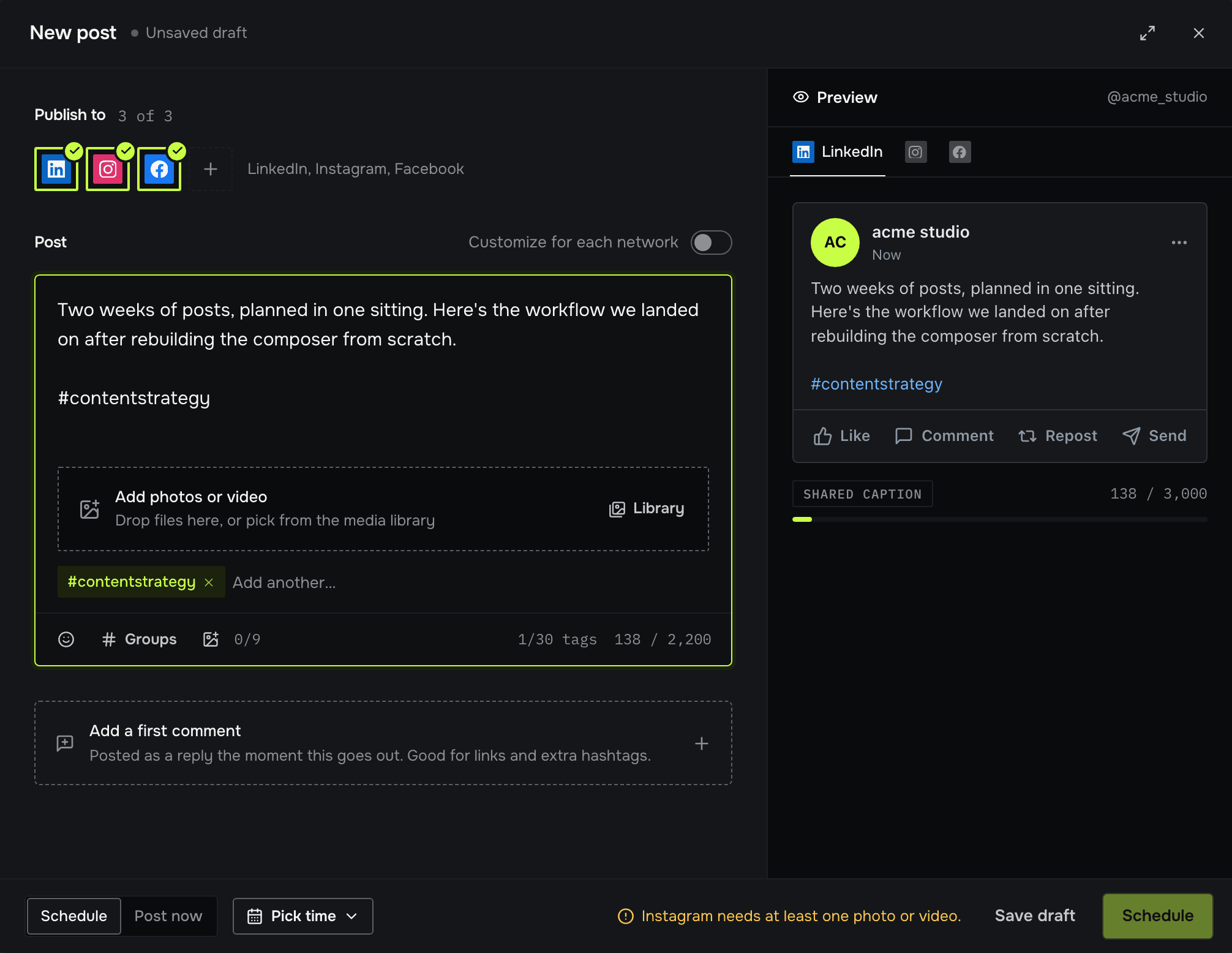
Postpane's Instagram carousel maker designs every slide in your brand from a short description, lets you edit any of them, and schedules the carousel to Instagram from the same place.
- 20 slides
- per carousel on Pro, 10 on Creator, 3 on the free plan.
- 10 images
- per Instagram post, published straight from the design.
- One style
- across every slide, with slide numbers and a swipe cue added for you.
A carousel is the format people save and come back to, and the slowest one to make: a cover that stops the scroll, slides that carry one idea each, and the same look all the way through.
Postpane plans the whole carousel at once. You say what it's about; the AI writes and lays out every slide in your brand kit, adds slide numbers and a swipe cue, and hands it to an editor where you can change anything. Then it goes to the calendar with a caption, ready to publish.
From an idea to a scheduled carousel
Describe the carousel
Type what it's about, or take one of the post ideas Postpane suggests for your brand. Pick portrait or square and the number of slides, or leave them on Auto.
The AI designs every slide
It plans the carousel as one piece, every slide in one style, in your brand kit's fonts, colours and logo, with stock photos where they help.
Edit any slide
Change words, swap a photo, add a block or an icon. Add, copy, reorder or delete slides from the strip under the canvas.
Publish or schedule it
Publish turns each slide into an image, attaches them in order and writes the caption from the design. Pick a time on the calendar, or post now.
Made for Instagram's shapes
Portrait 4:5 at 1,080 × 1,350 pixels takes the most room in the feed, and it's one of Postpane's formats, along with square, landscape, vertical 9:16 and Pin. Every slide in a carousel shares the shape.
When another network wants a different shape, add that format to the design: as a scaled copy, or with Smart format, which lays every slide out again for the new shape.
In your brand, every time
A brand kit holds your colours, fonts, logo and voice. Carousels made in it use all four, and the logo version that reads on each slide's background.
Change the kit later and Apply brand kit brings an existing design up to date in one step.
What each plan includes
Every plan includes AI post design on monthly credits, the editor and the scheduler.
- Free: carousels up to 3 slides, 1 channel.
- Creator: up to 10 slides, 5 channels.
- Pro: up to 20 slides, 15 channels and a team of 5.
Instagram carousel maker: FAQ
Can I make an Instagram carousel for free?
Yes. On the free plan a carousel can have up to 3 slides, the AI runs on the monthly credits every plan includes, and you can schedule it to one connected channel. Creator raises it to 10 slides and Pro to 20.
How many slides can I post to Instagram?
Postpane publishes up to 10 images in one Instagram carousel. Longer designs are fine for other uses, but keep the Instagram version to 10 slides.
What size should Instagram carousel slides be?
1,080 × 1,350 pixels (4:5 portrait) takes the most room in the feed; 1,080 × 1,080 square works too. Make every slide the same shape. Postpane's portrait and square formats are set up for this already.
Do I need design skills?
No. Describe the post and the AI lays out every slide in your brand kit's fonts and colours, with your logo. If you want to change something, the editor lets you edit text, swap photos and move things on any slide.
Can I use my own photos?
Yes. Upload them to the media library and place them on any slide, or search the built-in stock photos. The AI uses your own media first for products and offers.
Can I download the slides instead of posting them?
Yes. Export downloads each slide as an image; several slides come as one ZIP.
Is it only for Instagram?
No. The same carousel can go to Instagram, Facebook, LinkedIn and TikTok, and Smart format lays a design out again for another shape when a network wants a different one.
- How to make a carousel postEight steps, with sizes and caption limits.↗
- Carousel post examplesTen formats as slide-by-slide templates.↗
- What is a carousel post?The format, and when it works best.↗
- Instagram schedulerPublish posts, carousels and video for you.↗
- Instagram image sizesEvery size, with Instagram's own sources.↗
- Caption length checkerCheck your caption fits before it posts.↗
- PricingPlans, slides per carousel and credits.↗