
The LinkedIn scheduler for profiles and pages
Postpane is a LinkedIn scheduler for personal profiles and company pages: plan posts on a calendar, publish them at the time you pick, add the first comment, and reply to comments afterwards.
- 3,000 characters
- per post, checked before you schedule.
- 9 images
- in one post, or a video.
- Profiles and pages
- on the same calendar, with your other channels.
The best time to write a LinkedIn post is rarely the time to publish it. Postpane lets you write a week of posts in one sitting and publishes each one to your profile or company page on schedule.
Put the link in the first comment, reply to the comments that come in, and see each post's numbers beside it. A team on Pro can share the page without sharing a login.
Schedule a LinkedIn post in four steps
Connect LinkedIn
Sign in to LinkedIn from Postpane and choose your personal profile or company page.
Write the post
Up to 3,000 characters. Roughly the first 210 show before "…see more", so the first two lines carry the post.
Add images, video or a designed post
Square 1,200 × 1,200 or landscape 1,200 × 628 both work. The AI can design the image or a multi-image post in your brand.
Pick a time on the calendar
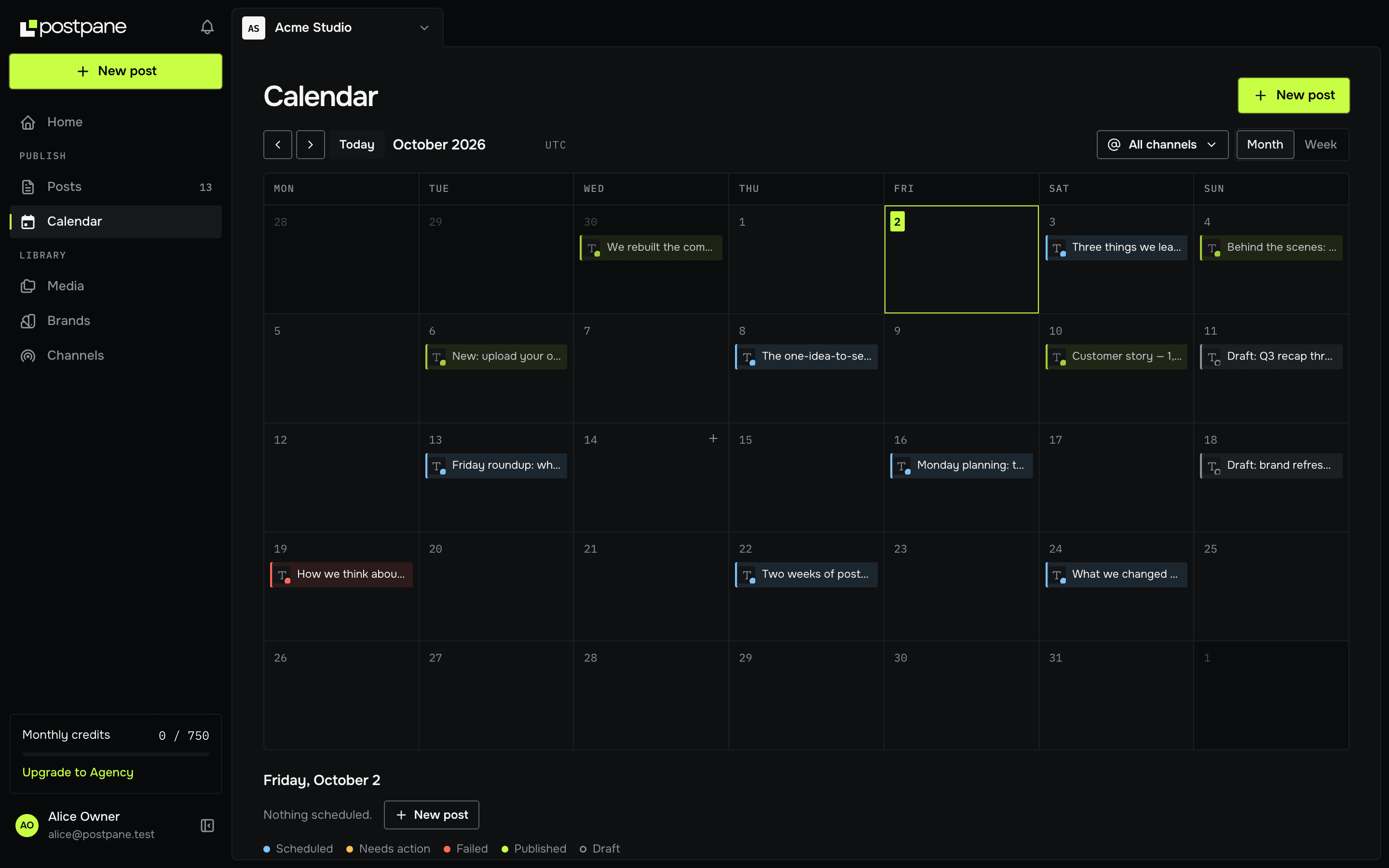
Schedule it, or post it now. Every post sits on one calendar beside your other channels; drag it to another day to reschedule.
Built for posting as a company
Company pages are usually run by more than one person. On Pro and up, teammates join a workspace with a role, and custom roles decide what each person can do.
Workspaces keep each client's or brand's channels, posts and brand kit apart.
One post, every network
Posting the same news to Instagram or Facebook too? Write it once and give LinkedIn its own caption where it needs a different tone. Each version is checked against its network's rules.
Everything Postpane does on LinkedIn
What works on LinkedIn today, from publishing to replies and imports.
- Plans: Every plan, the free one too
- Publish images
- Publish video
- Images in one post: Up to 9
- Caption length Postpane checks: 3,000 characters
- Its own caption and media
- First comment
- Reply to comments
- Post analytics
- Import past posts: not available
- AI post design
What it costs to schedule LinkedIn posts
Every plan publishes to LinkedIn, the free one included. Plans differ in how many channels and posts a month they cover, not in which networks you can use.
- Free: 1 channel, 30 posts a month, no card.
- Creator: 5 channels, 300 posts a month, $15/mo billed yearly ($19 monthly).
- Pro: 15 channels, 1,000 posts a month and 5 people, $31/mo billed yearly ($39 monthly).
LinkedIn scheduler: FAQ
Can I schedule posts to a LinkedIn company page?
Yes. Postpane connects a personal profile or a company page you manage, and publishes to either at the time you pick.
How long can a LinkedIn post be?
3,000 characters, for profiles and pages alike. The feed shows roughly the first 210 before "…see more", so lead with the point.
Can I schedule a post with several images?
Yes, up to 9 images in one LinkedIn post, or a video.
Can I schedule the first comment on LinkedIn?
Yes. Write it with the post and Postpane adds it as soon as the post is published, a handy place for a link.
Can my team schedule LinkedIn posts for the company page?
Yes. On Pro, up to 5 people share a workspace with roles, so a teammate can draft and schedule without the page's login.
Is the LinkedIn scheduler free?
Yes. The free plan connects one channel, a LinkedIn profile or page included, and publishes up to 30 posts a month. No card needed.
- LinkedIn image sizesPosts, banners and company pages, with sources.↗
- Instagram schedulerAuto-publish posts, carousels and video.↗
- TikTok schedulerVideos and photo posts, privacy set per post.↗
- Facebook schedulerPages, multi-image posts and comment replies.↗
- Video schedulingOne upload, every network, a caption each.↗
- X schedulerPosts with images, video and first comments, on paid plans.↗
- Caption length checkerSee where each network cuts your caption off.↗
- The best social media scheduling toolsSchedulers compared on price, networks and AI.↗
- PricingPlans, channels and credits.↗